The Filter feature in the Tasks Tab allows users to filter Tasks by Name, Note content, Priority, and Status. | |
|---|---|
|
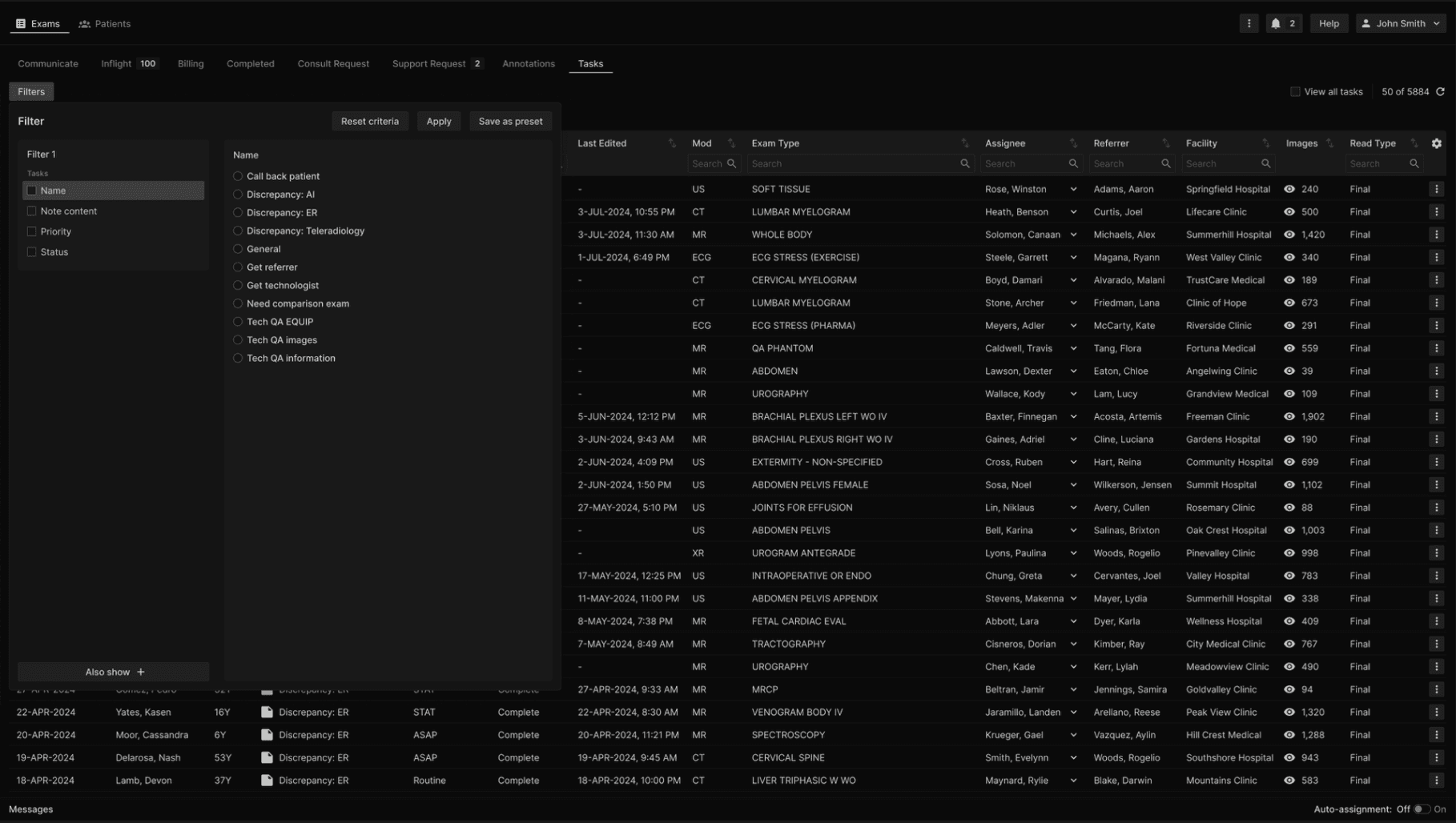
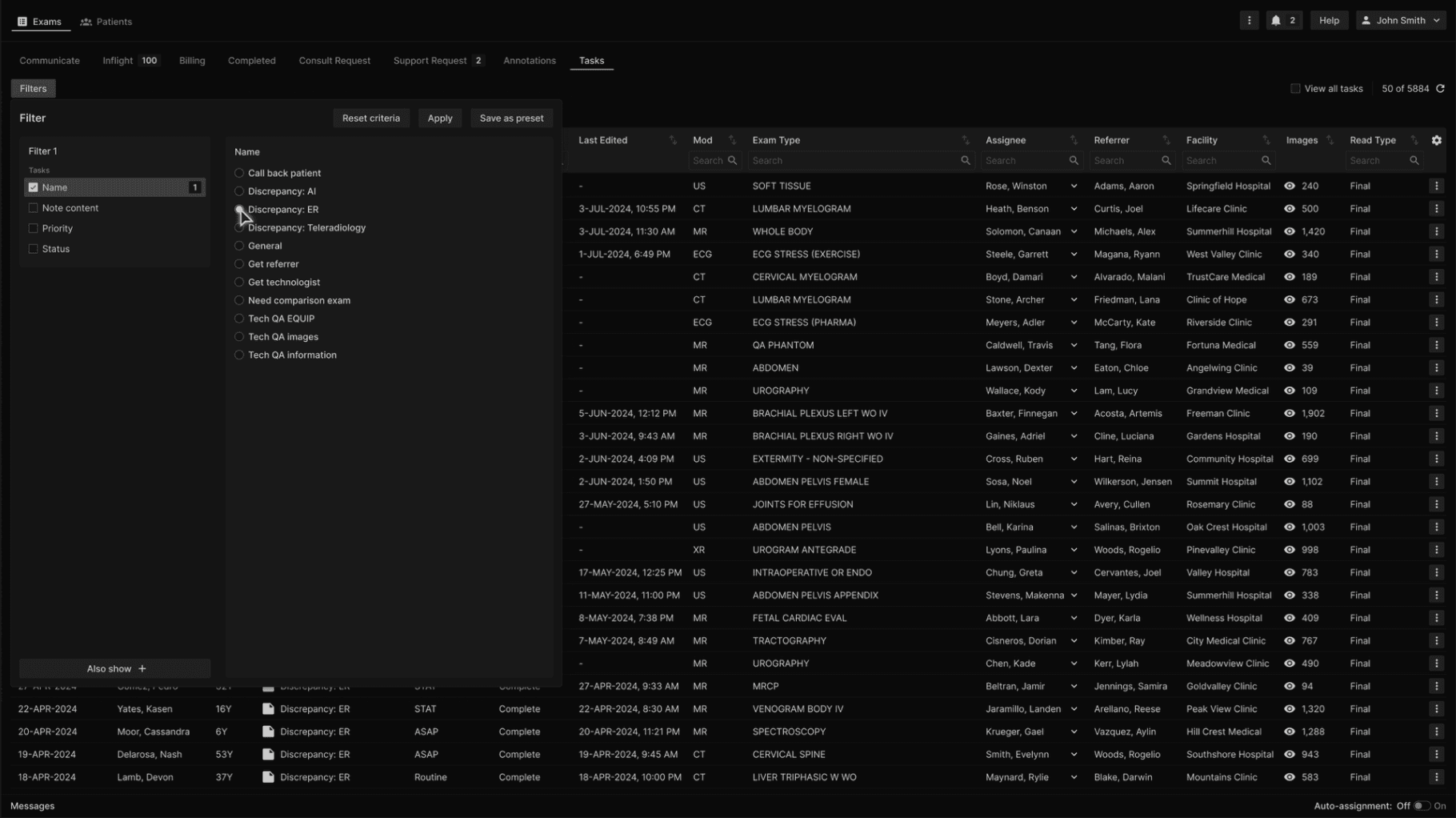
To filter, first select the Task name. Only one Task name can be selected at a time. | |
|---|---|
|
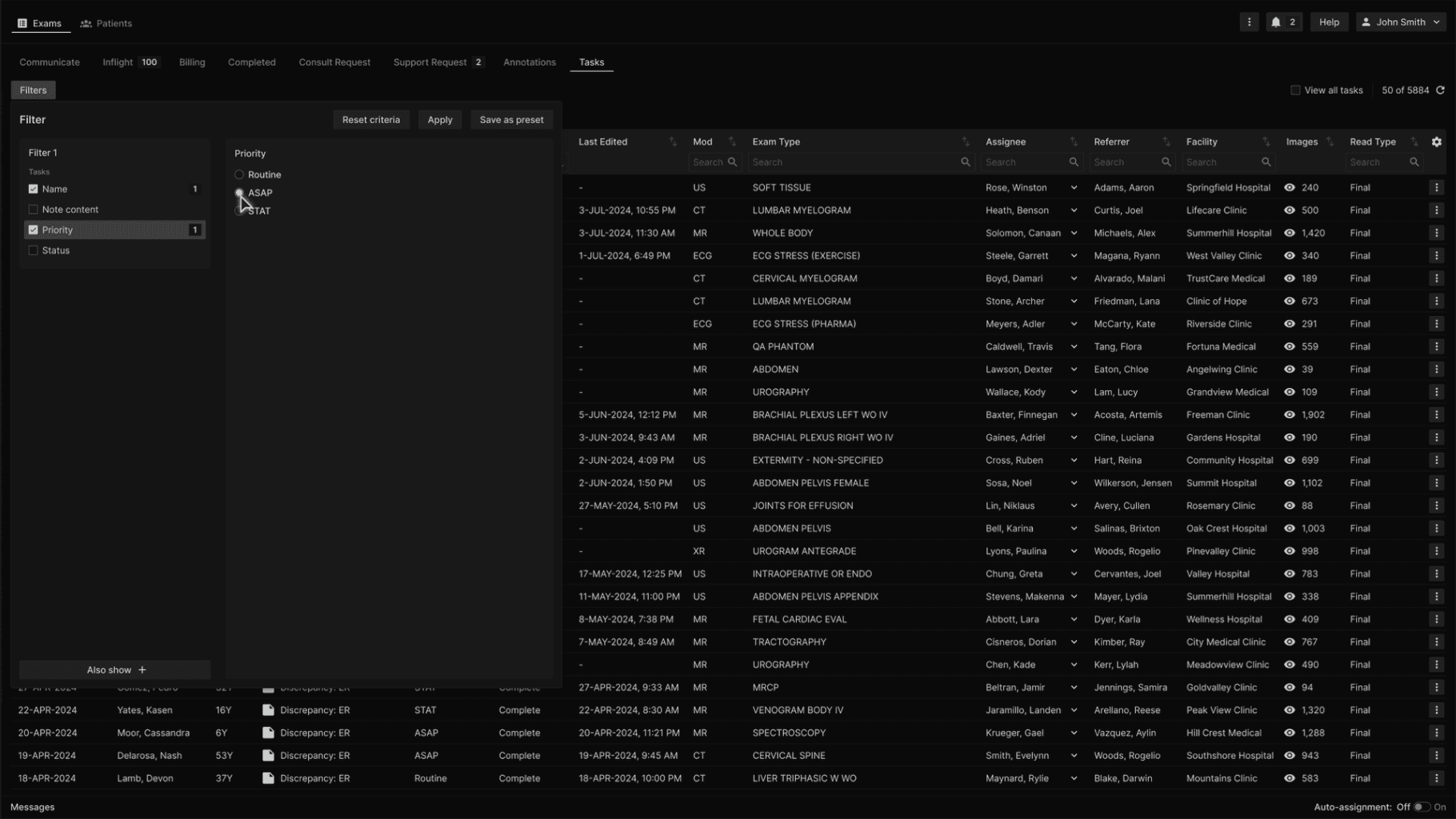
To further narrow the filter, select one or more additional criteria. | |
|---|---|
|
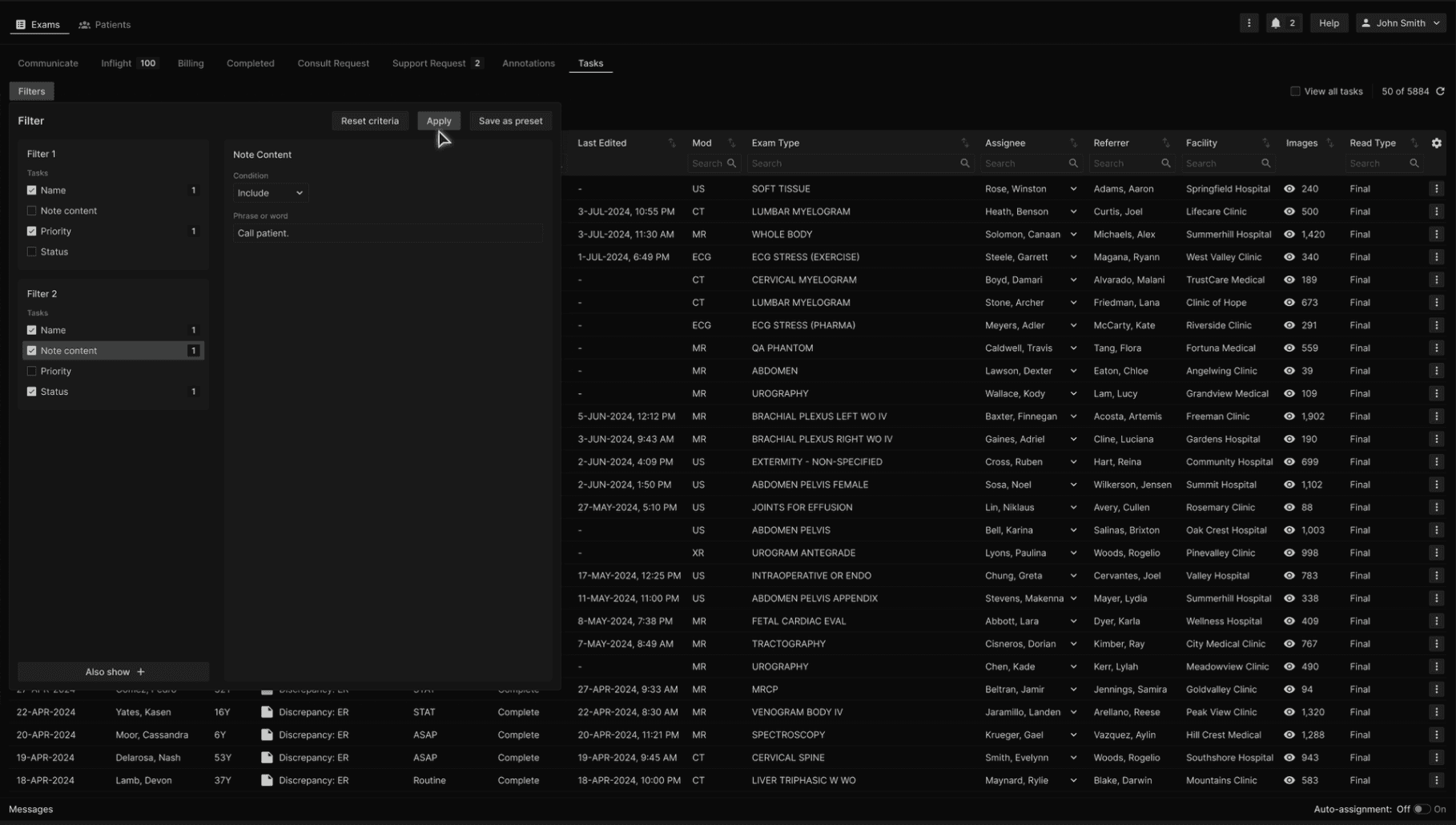
To simultaneously filter for other Tasks, use the Also Show feature at the bottom of the Filter dialog. | |
|---|---|
|
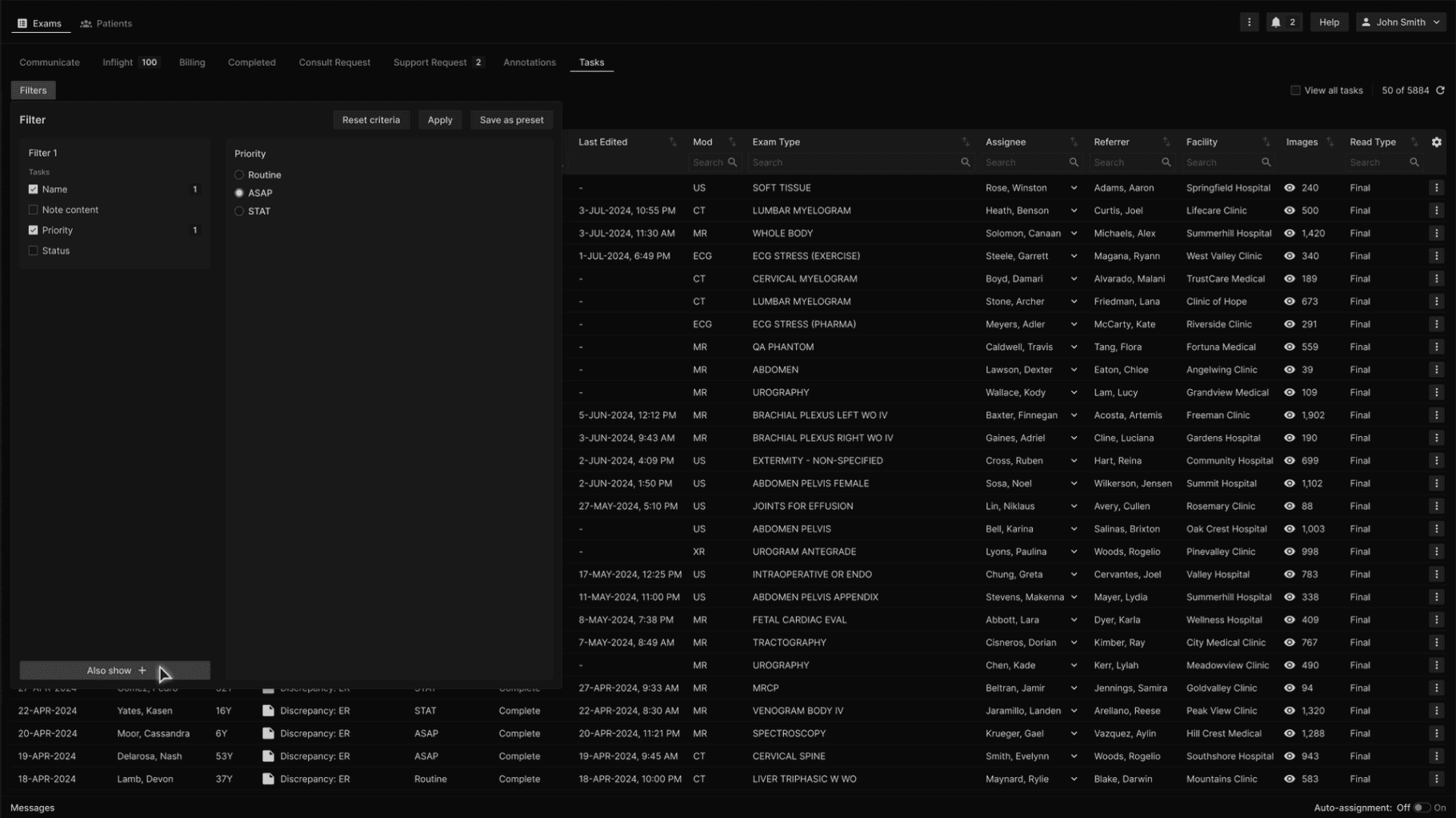
To further narrow the filter for each selected Task, select from the other attributes. | |
|---|---|
|
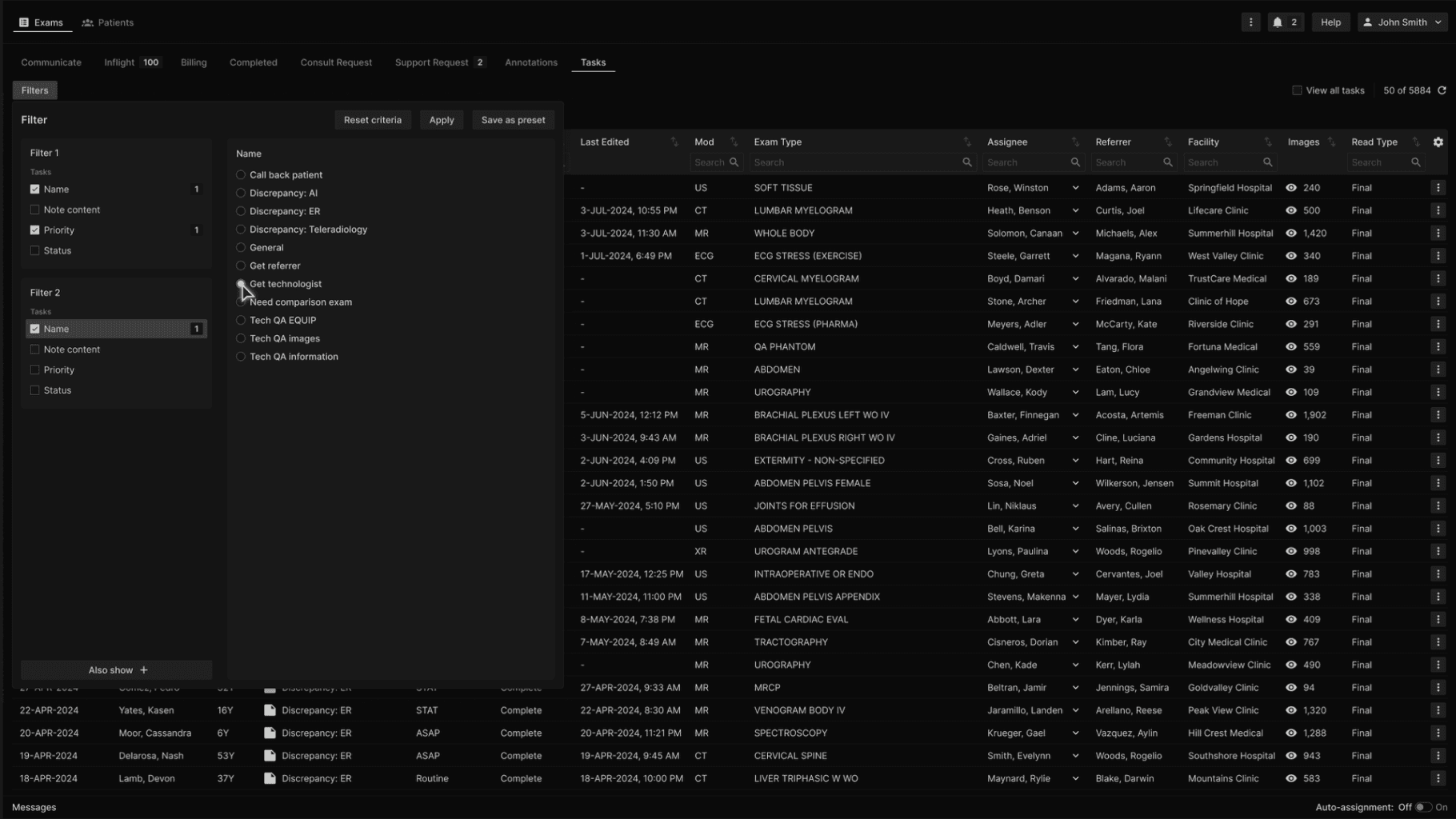
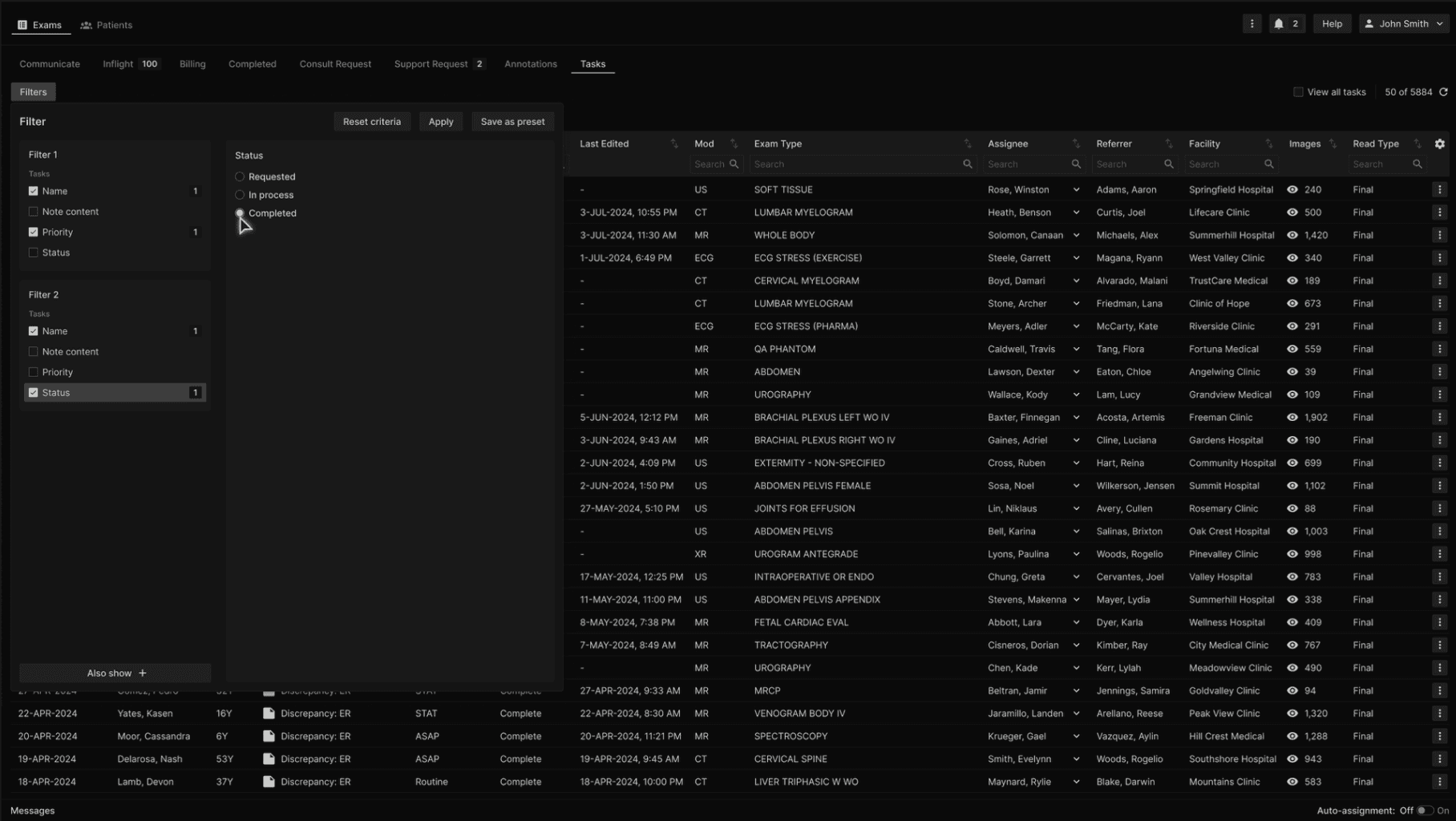
For example, here the user is filtering for two different Task categories, each narrowed to specific required attributes. Tasks will be shown that comply with Filter 1 and also show Tasks that comply with Filter 2. | |
|---|---|
|
One can further narrow a filter to require the inclusion or exclusion of specified note content. | |
|---|---|
|
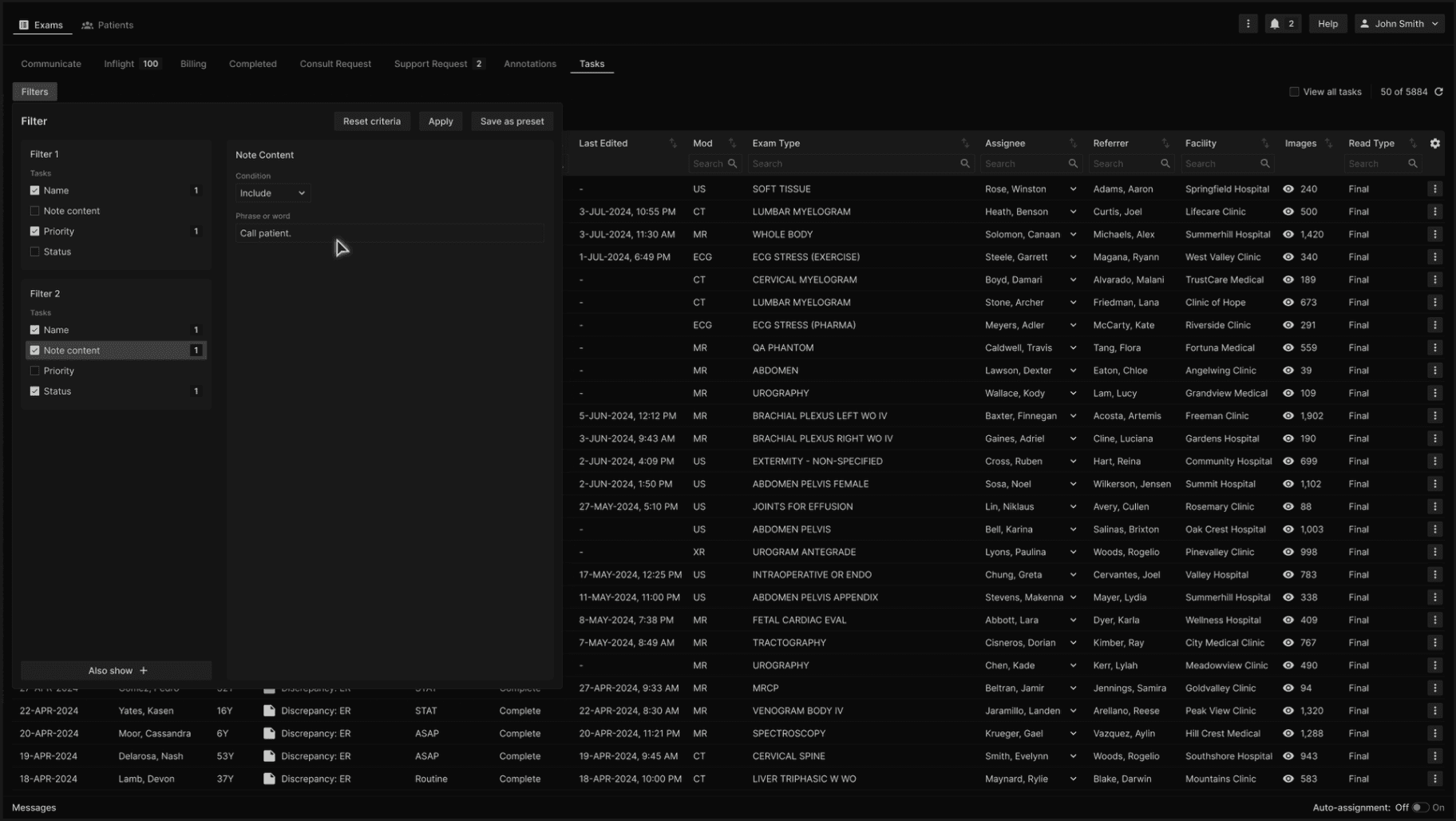
Click Apply to apply the filter. | |
|---|---|
|