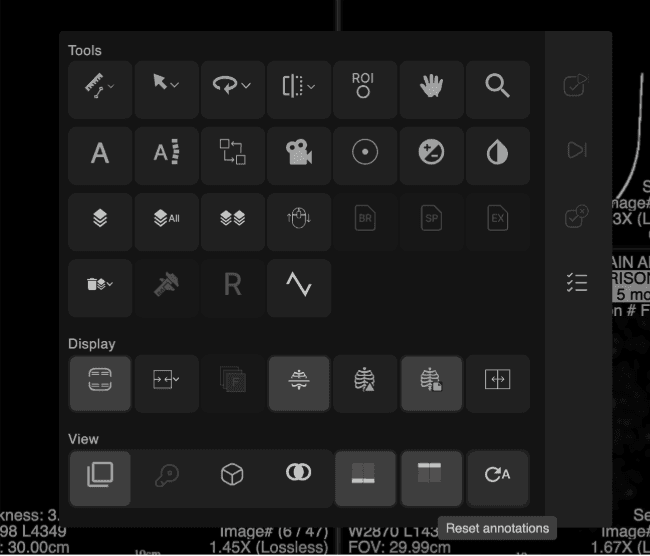
| Power Wheel Configuration |
Users can now customize Power Wheel behavior — including scroll speed increments and direction reversal mode — and save their preferences for persistent use across sessions. |
How to Access - With the Power Wheel visible in the viewer, right-click on the Power Wheel control.
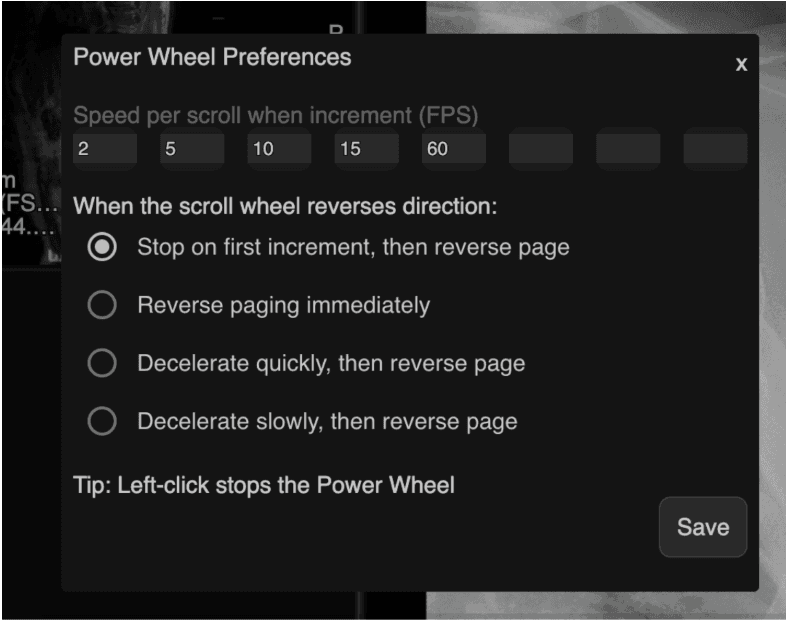
- The "Power Wheel Preferences" dialog opens, showing current speed settings and the active reverse direction mode.
- Make changes and click "Save" to apply. Preferences are stored persistently. Click "×" to exit without saving.
|
Speed Configuration - Users can define up to 8 speed increments.
- Default speeds: 2, 10, 20, 40, 60.
- Each speed value must be a numeric value greater than 0 and no greater than 60. Non-numeric input is blocked.
|
Reverse Direction Modes Four scroll reversal behaviors are available: - Stop on first increment, then reverse direction — scrolling stops within one increment before reversing.
- Reverse paging immediately — direction reverses without a stop.
- Decelerate quickly, then reverse page — brief deceleration before reversing.
- Decelerate slowly, then reverse page — gradual deceleration before reversing.
|
Notes - Left-clicking the Power Wheel continues to stop it immediately. This behavior is unchanged.
- Preferences are saved to the viewer configuration store and persist across sessions.
|
 |