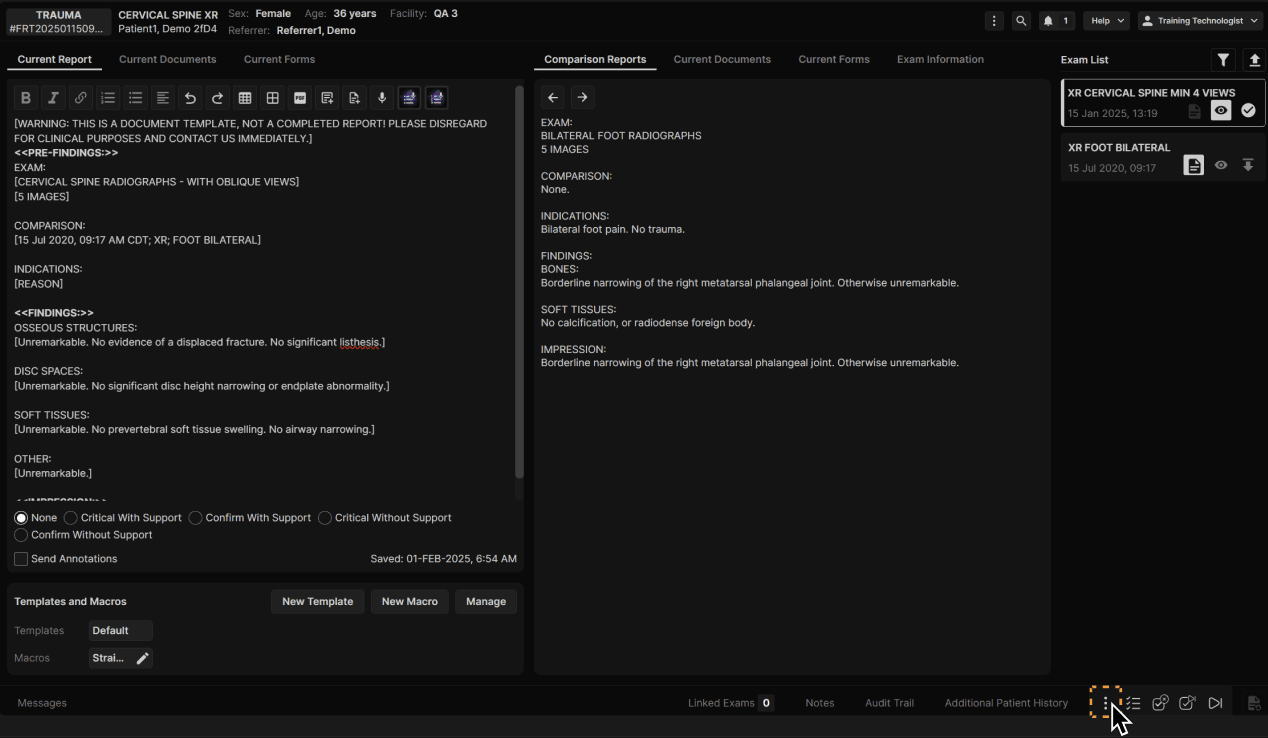
Click the three dots at the bottom of the Reporting Screen to access all exam actions. | |
|---|---|
|
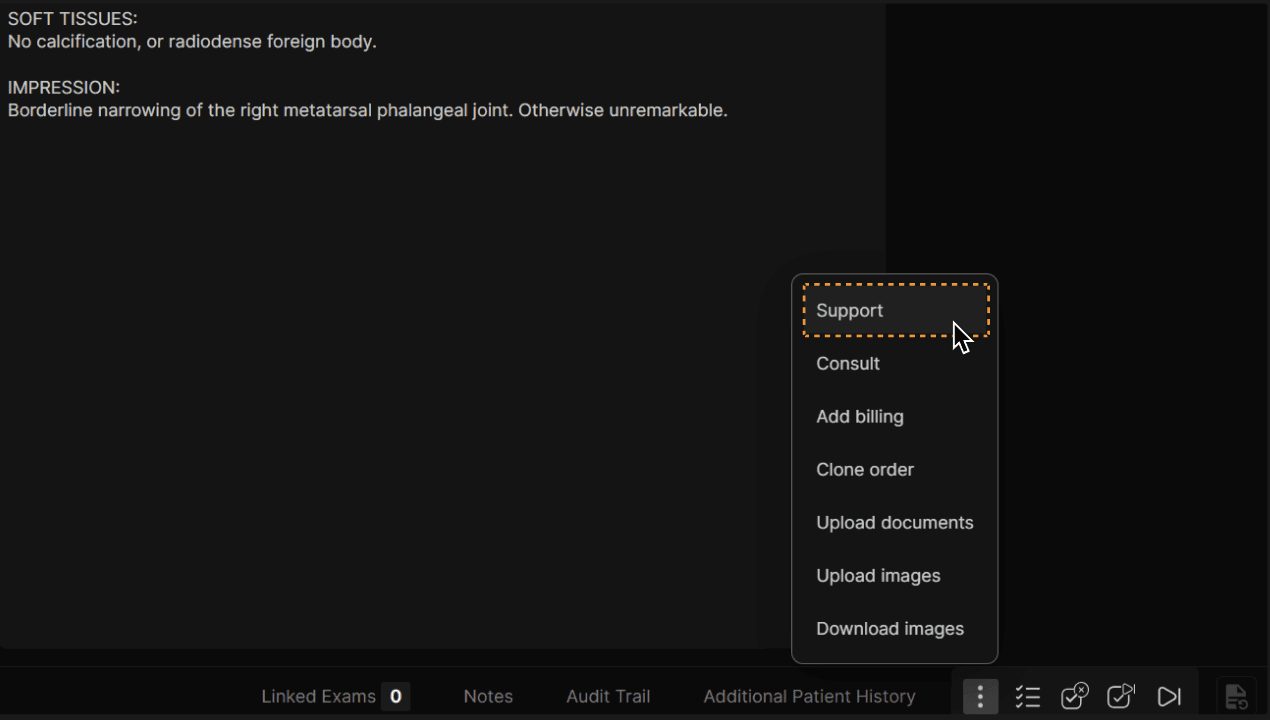
Click “Support.” | |
|---|---|
|
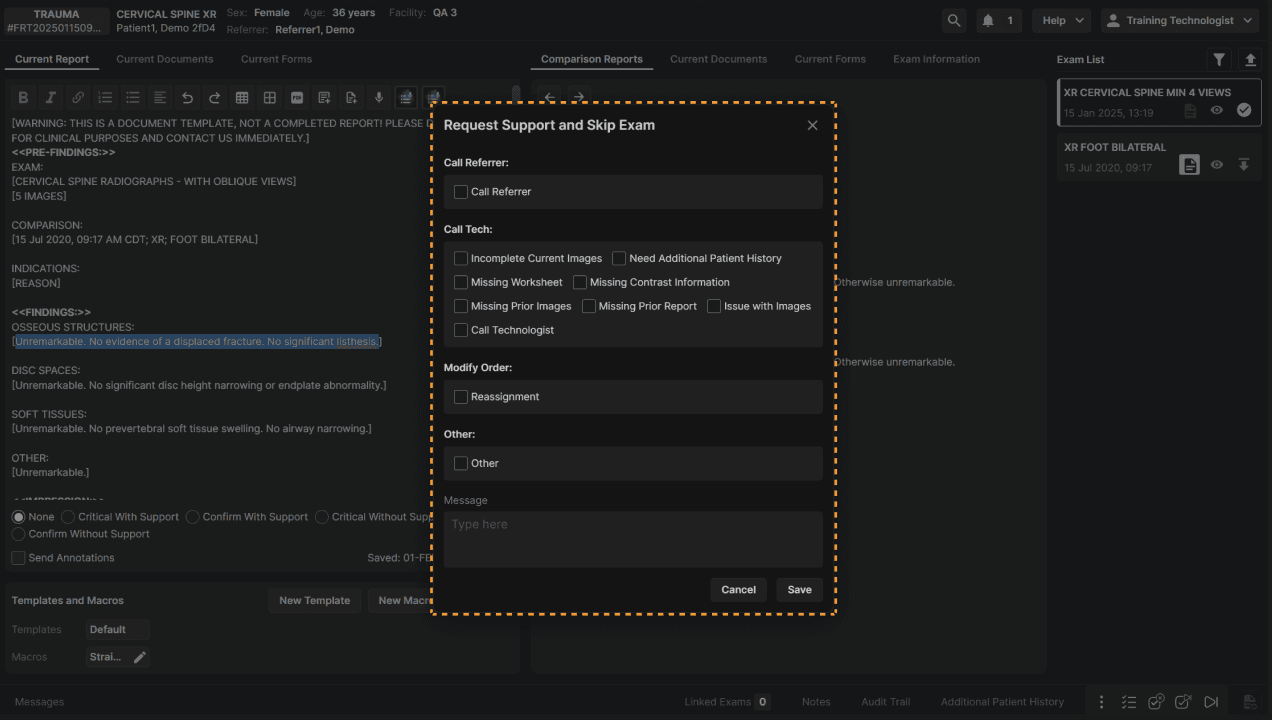
Select applicable criteria for the Support Request and add a message if necessary. Click “Save” when complete. | |
|---|---|
|

Click the three dots at the bottom of the Reporting Screen to access all exam actions. | |
|---|---|
|
Click “Support.” | |
|---|---|
|
Select applicable criteria for the Support Request and add a message if necessary. Click “Save” when complete. | |
|---|---|
|